🏗️ RCC Design – Excel Sheets
RCC design calculations can get repetitive fast — especially when you have to work through beams, slabs, columns, footings and different design checks again and again.
That is where a well-structured Excel sheet can make the work much easier.
Our RCC Design Excel Sheets collection brings commonly required RCC design calculations into ready-to-use Excel files. The sheets are designed to help civil and structural engineers, students and design professionals understand, check and work through RCC calculations without creating every calculation sheet from scratch.
From beam and slab design to columns, footings, retaining walls and water tanks, the collection covers a wide range of RCC design requirements.
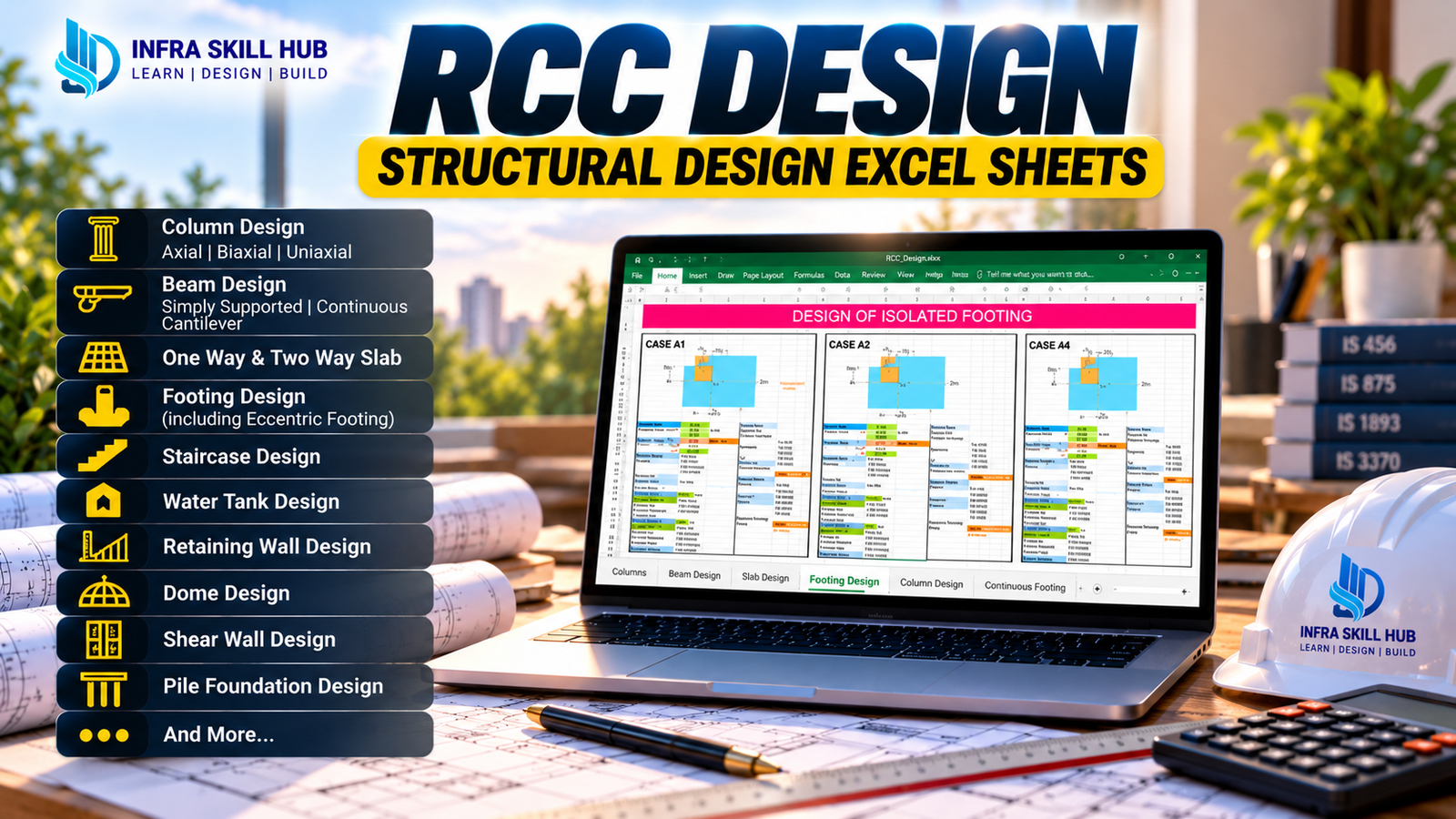
📊 RCC Design Excel Sheets Included
The package includes Excel sheets for:
- Beam Design (Simply Supported Beam & Continuous Beam)
- Cantilever Beam
- STAAD Moment Check
- One Way Slab & Two Way Slab
- Axial, Biaxial Loaded Column
- Shear Wall
- Slender Column
- Footing Design
- Eccentric Footing Design
- Pile Foundation
- Combined Footing
- Deflection Check
- L-Shaped Cantilever Retaining Wall
- Reverse L-Shape Cantilever Retaining Wall
- Retaining Wall
- Design of Dome
- Staircase
- Rectangular Water Tank
These RCC Design Excel Sheets give you a practical collection of calculation tools for different structural elements.
🧱 Beam & Slab Design
Beam and slab calculations are among the most frequently required tasks in RCC design.
The collection includes:
- Simply Supported Beam
- Continuous Beam
- Cantilever Beam
- One-Way Slab
- Two-Way Slab
- Deflection Check
You can use these sheets to work through design calculations and understand how different input parameters affect the final design.
🏢 Column Design
The package also includes Excel tools for different column conditions:
- Axially Loaded Column
- Biaxially Loaded Column
- Slender Column
These RCC Column Design Excel Sheets are useful for understanding and checking column design calculations in a structured Excel format.
🏗️ Footing & Foundation Design
Foundation design requires several calculations and checks. The collection includes:
- Footing Design
- Eccentric Footing Design
- Combined Footing
These sheets can be useful for design practice, calculation checking and understanding the workflow involved in RCC footing design.
🧱 Retaining Wall, Staircase & Water Tank
The collection goes beyond basic beam, slab and column calculations.
It also includes:
- L-Shaped Cantilever Retaining Wall
- Reverse L-Shaped Cantilever Retaining Wall
- Retaining Wall
- Staircase
- Rectangular Water Tank
- Dome Design
This makes the package useful when you need different RCC Structural Design Excel tools in one place.
👷 Who Can Use These RCC Design Excel Sheets?
This collection is suitable for:
- Civil Engineering Students
- Diploma Civil Students
- Civil Engineers
- Structural Engineers
- Design Engineers
- Site Engineers
- Structural Design Professionals
- Freshers
Whether you are learning RCC design or already working with structural calculations, having commonly used RCC Design Calculation Excel Sheets in one collection can save you from preparing the same calculation format repeatedly.
❓ FAQs
Q1. What is included in these RCC Design Excel Sheets?
The collection includes Excel sheets for beams, slabs, columns, footings, retaining walls, staircase, dome, rectangular water tank, deflection checks and STAAD moment checking.
Q2. Does the package include beam and slab design?
Yes. It includes Simply Supported, Continuous and Cantilever Beam Design along with One-Way and Two-Way Slab Design.
Q3. Are column design Excel sheets included?
Yes. The package includes Axial Loaded, Biaxial Loaded and Slender Column design sheets.
Q4. Does it include footing design?
Yes. Footing Design, Eccentric Footing Design and Combined Footing Excel sheets are included.
Q5. Can students use these RCC Design Excel Sheets?
Yes. They are useful for students and freshers who want to understand and practice RCC design calculations using Excel.
Q6. Are these Excel sheets editable?
Yes. The files are provided in Excel format and can be used as editable calculation resources.
🔗 Explore More






Reviews
There are no reviews yet.