G+2 Structure Mastery Course
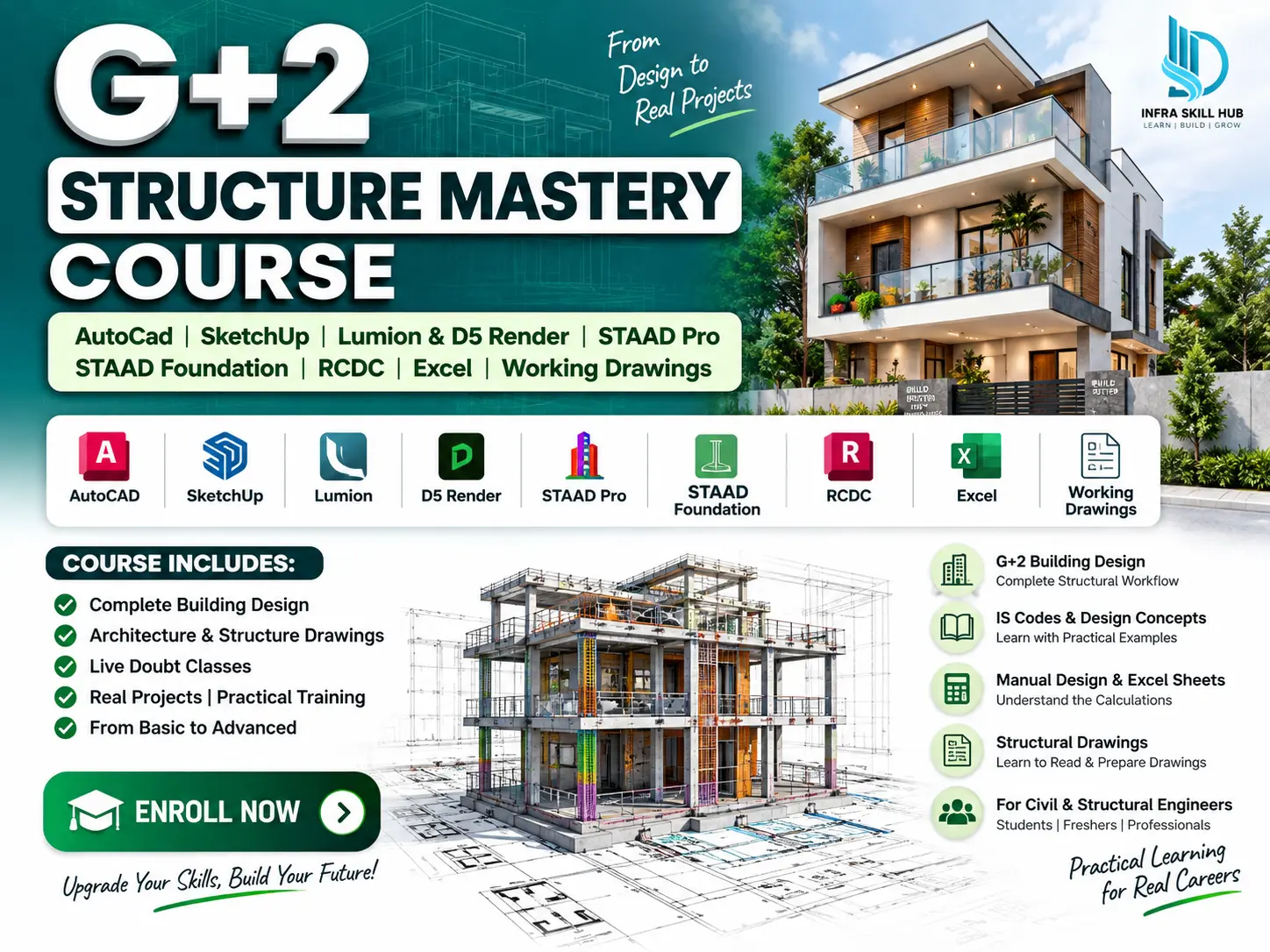
Learn G+2 Building Design through a complete practical project workflow — starting from an architectural plan in AutoCAD and progressing through 3D modelling, rendering, structural design and final working drawings.
This G+2 Building Design Course is designed for civil and structural engineers who want to understand how a complete building project is developed using industry-relevant software and practical project steps.
🏗️ Complete G+2 Building Project
In this course, you will work on a G+2 building project from the initial plan to the final structural drawings.
📐 AutoCAD Building Plan
Start with the G+2 building plan in AutoCAD, understand the layout and prepare the project drawings.
🏠 SketchUp 3D Modelling
Convert the same building plan into a detailed 3D model in SketchUp, keeping the model consistent with the actual project.
🎨 Lumion & D5 Render
Take the SketchUp model into Lumion and D5 Render to create realistic 3D views and understand the visualization workflow.
🏢 STAAD Pro Structural Design
Use the same G+2 building project in STAAD Pro for structural modelling, analysis and design.
🧱 STAAD Foundation
Continue the structural workflow with STAAD Foundation for foundation-related design.
📊 RCDC & Excel
Use RCDC for structural design and detailing, along with Excel Sheets for design checks and calculations.
📋 Working & Structural Drawings
Complete the project with structural and working drawings, giving you an understanding of how the final design information is prepared.
🎯 Why This Course Is Different
Instead of learning each software separately, you work through one complete G+2 Building Project and understand how different stages connect with each other.
AutoCAD Plan → SketchUp Model → Lumion/D5 Render → STAAD Pro → STAAD Foundation → RCDC → Excel Checks → Working Drawings
This practical approach helps you understand the complete building design process rather than focusing on software commands alone.
👷 Who Should Take This G+2 Building Design Course?
This online structural mastery course is suitable for:
• Civil Engineering Students
• Civil Engineers
• Structural Engineers
• Design Engineers
• Site Engineers
• Freshers who want practical building design experience
🏗️ Learn Through One Complete Project
The objective of this G+2 Structure Mastery Course is to show you how a building project moves from planning and 3D visualization to structural design and final drawings.
You will follow the same project through different stages, making it easier to understand how architectural planning, 3D modelling, structural analysis and drawing preparation work together.
📜 Course Completion Certificate
After completing the course, you will receive an Infra Skill Hub Course Completion Certificate.
❓ Frequently Asked Questions
1. What is covered in the G+2 Structure Mastery Course?
The course covers AutoCAD, SketchUp, Lumion, D5 Render, STAAD Pro, STAAD Foundation, RCDC, Excel Sheets and working/structural drawings through a G+2 building project.
2. Is this course only about structural design?
No. The course follows the complete project workflow, starting with building planning and 3D modelling and continuing through rendering, structural design and drawings.
3. Which software is included?
AutoCAD, SketchUp, Lumion, D5 Render, STAAD Pro, STAAD Foundation and RCDC are covered.
4. Is this course suitable for freshers?
Yes. The course is suitable for civil engineering students, freshers, civil engineers, structural engineers and design engineers.
5. Will I work on a G+2 building project?
Yes. The training follows a G+2 building project through the different stages of planning, modelling, visualization, structural design and drawing preparation.
6. Will I receive a certificate?
Yes. You will receive an Infra Skill Hub Course Completion Certificate after completing the course.
🔗 Explore More
Explore More Civil Engineering Courses
Explore Civil Engineering E-Books
Explore Structural Design Excel Sheets
Explore Architectural & Structural Drawing Templates




Reviews
There are no reviews yet.